













How did Glance Switch achieve revenue of $1,365 in nearly 30 days and cumulative revenue of $1,740?
Headline cites the Historical Research Snapshot. KPI strip is the Latest Revenue Snapshot.
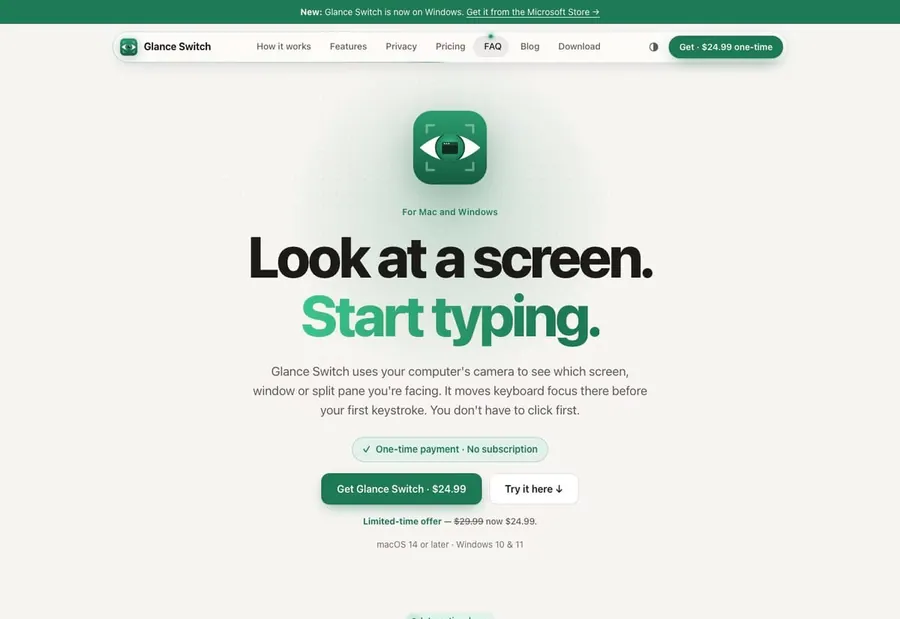
Product at a glance
- what is it
- Glance Switch uses the camera to track the direction you are facing, switching the keyboard focus to the screen, window, or split screen you are looking at before you press the first key.
- who is it for
- Heavy users of Mac and Windows who frequently switch between terminals and editors for multi-screen office work.
- how does it charge
- One-time purchase authorization, including native macOS and Windows applications, no subscription.
- business model
- Selling software authorization directly through the official website and Microsoft Store, relying on demonstrations and word-of-mouth to acquire customers.
- Revenue for the past 30 days
- $1,129
- Accumulated total revenue
- $2,025
As of 2026-10-30
Open evidenceFact · as of 2026-11-04
Evidence type: Fact
Source: Latest Revenue Snapshot · provider payment sync
as of: 2026-11-04
Provider-verified revenue signal ≠ audited company financials.
revenue data as of 2026-11-04 (public channel, updated daily)
Open evidenceFact · as of 2026-11-04
Evidence type: Fact
Source: Latest Revenue Snapshot · provider payment sync
as of: 2026-11-04
Provider-verified revenue signal ≠ audited company financials.
MRR = current monthly recurring run rate · 30-Day revenue = what the provider recorded in the trailing 30 days. Timing, not extra revenue, is why a ratio can exceed 100%.
Summary
What kind of business is this
Visit site glanceswitch.comGlance Switch switches the focus to the screen or split screen you are looking at through camera sensing of head direction, the official website uses interactive demonstrations and one-time authorization to directly convert visitors.
- Product form
- Web online software workstation
- Category
- Productivity
- Charging method
- Online self-service subscription
Core growth findings
Findings may cite earlier snapshots; header KPIs carry Fact and a revenue as-of date. Revenue as of 2026-11-04.
- 01
Interactive demonstration drives self-service purchase
The home page demonstration allows visitors to experience the focus switching to the screen they are looking at, and then reduces the decision-making cost with one-time authorization, limited-time discounts, and direct download.
- 02
Founder demonstration and community word-of-mouth
Using short videos to demonstrate instant switching between multiple screens and split screens, the founder personally answers questions in developer communities, efficiency forums, and product communities to accumulate word-of-mouth.
- 03
Search terms and software directory exposure
Creating content around keywords such as looking at the screen to switch windows, camera focus, and Mac multi-screen efficiency, and listing on Microsoft Store, Mac directory, and efficiency tool list.
- Number tags
- FactStraight from the source
- DerivedCalculated from facts
- ClaimedSelf-reported, unverified
- EstimateOur reading
Read this one free
This device has 2 of 2 free full reports left. After this one, the rest of the library needs a membership.
- ?What product structure supports $1.1K a month?
- ?Which channels bring customers in, and which of them actually pay?
- ?Can this playbook be copied, and under what conditions?
- 01The business
- 02Where customers come from
- 03Growth plays
- 04Social & community
- 05Timeline
- 06What to copy
This report is free to read
2 free reports left on this device
Next steps
Copy an agent prompt above, then keep researching related products via MCP.